If you have compared a few QR code tools, you have probably noticed that some of them quietly push "dynamic" QR codes — and most of the ones that do not mention the word at all are giving you static codes without telling you what that means. This guide explains the difference in plain terms, so you can pick the right kind before you print anything.
What is a static QR code?
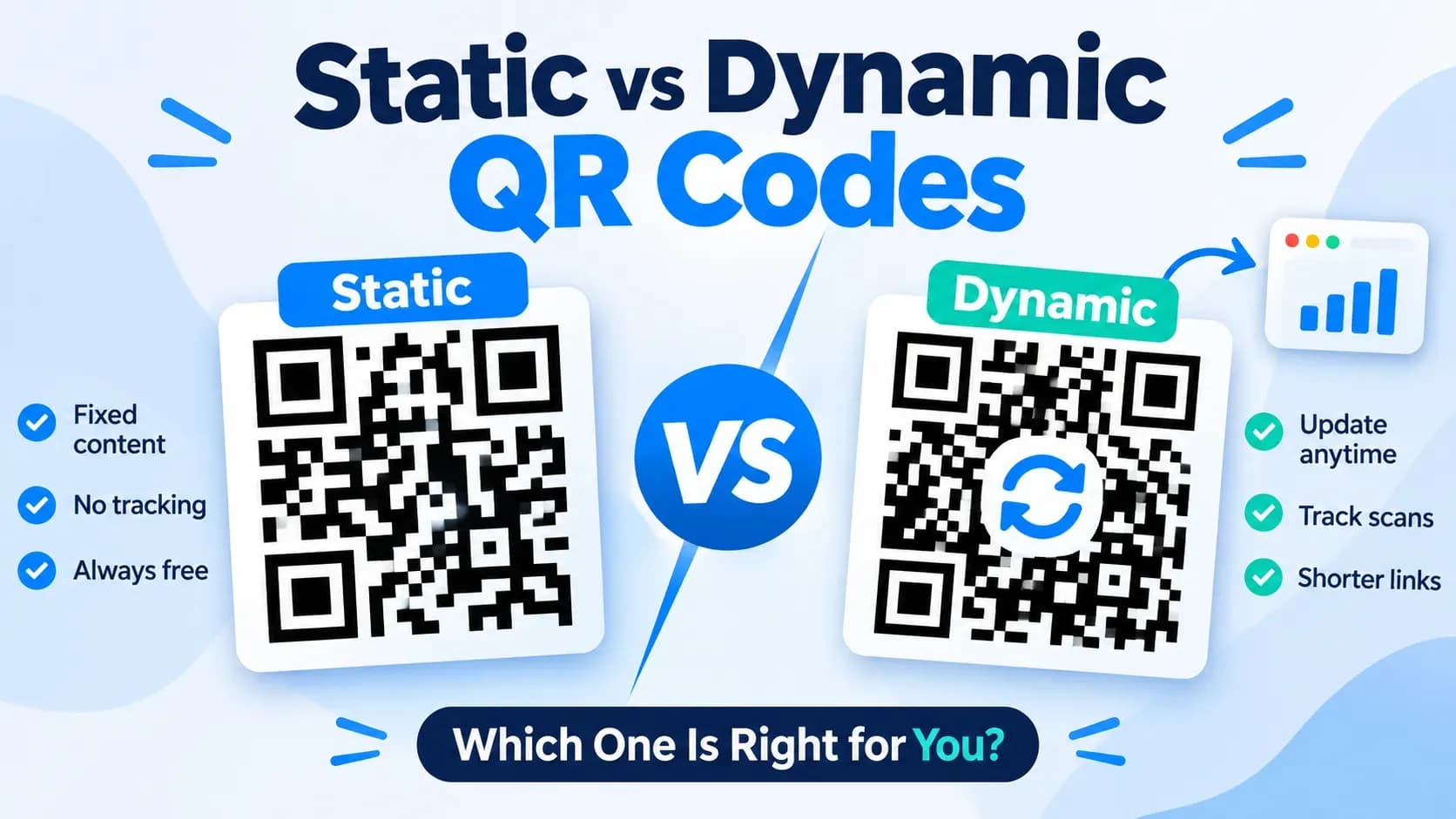
A static QR code stores its content directly in the pattern. A URL code contains the URL. A Wi-Fi code contains the network name and password. A contact code contains the vCard data.
That single design decision explains everything else about static codes:
- No server involved. Scanning reads data from the image itself. There is no redirect, no lookup, no account.
- Nothing expires. The pattern does not depend on any service staying online or any subscription staying paid. A code printed this year works the same way ten years from now.
- Private by default. No scan ever touches a third-party server, so there is nothing to track and nothing to leak.
- Fixed forever. The flip side: whatever you encoded is what the code will do until you replace the physical code.
FileConv's free QR code generator produces static codes — created in your browser and never uploaded.
What is a dynamic QR code?
A dynamic QR code does not contain your content. It contains a short link owned by the QR service, and that short link redirects to your real destination — which you can change at any time from the provider's dashboard.
Because every scan passes through the provider's servers, dynamic services can offer things static codes structurally cannot:
- Editable destinations. Point one printed code at a new landing page, a new PDF, or a new form without reprinting.
- Scan analytics. Counts, locations, devices, and times for each scan.
- Campaign features such as A/B testing links behind one code.
The costs are equally structural:
- Dependency. If the service shuts down, changes its pricing, or your account lapses, every code you printed stops working — even codes that were "free" when created.
- Privacy trade-off. Scan data is logged on someone else's servers by design.
- Free tiers are usually capped. Typical free plans allow only a handful of dynamic codes; beyond that, or for higher scan volumes, you pay.
Static vs dynamic: side by side
| Static QR code | Dynamic QR code | |
|---|---|---|
| What the pattern contains | Your content (URL, Wi-Fi data, vCard, …) | A short link owned by a service |
| Change destination later? | No — print a new code | Yes, from the provider's dashboard |
| Scan analytics | None (nothing is transmitted) | Yes, logged by the provider |
| Depends on a company staying in business? | No | Yes |
| Works without internet beyond the content itself? | Yes | No — the redirect needs the service |
| Typical cost | Free | Free tier with limits, then paid plans |
| Best for | Menus, business cards, product labels, Wi-Fi access, invoices, any permanent print | Campaigns whose destination changes often, tracked offline-to-online funnels |
When a static QR code is the better choice
A static code is the right tool when the destination is stable and you value permanence:
- Restaurant menus and tables. The page or PDF does not change monthly; you want the code to outlive the printer.
- Business cards and invoices. Contact details and payment links are stable, and a card that stops working in two years is an expensive mistake.
- Product labels and packaging. Printing runs are long; re-printing because a "free" service changed its pricing is worse than the inconvenience of a new code.
- Wi-Fi access codes. The network credentials are the content itself — there is nothing to redirect, and you keep the password off any third-party server.
- Privacy-sensitive use. Anything where scans should not be logged (client materials, internal tools, personal use).
When you actually need a dynamic QR code
Be honest with yourself about this one, because it is the only real reason to pay for dynamic:
- You will change the destination repeatedly — seasonal campaigns, rotating landing pages, A/B tests behind one printed asset.
- You need scan analytics to attribute offline traffic, and you are willing to accept that every scan is logged by the provider.
If your answer to both is "no", a static code is cheaper, private, and more durable than a dynamic one — not less capable, just differently shaped.
Do QR codes expire?
This is the most common question in this space, so the precise answer: static QR codes do not expire. They are data, printed. As long as the print stays legible, the code does exactly what you encoded, forever, with no account and no renewal.
Dynamic QR codes effectively have an expiry date of "whenever the service or the plan stops." That is why it is worth checking a provider's free tier before printing: many cap the number of dynamic codes, and some treat analytics as a paid feature from day one.
Which type does FileConv use?
FileConv generates static QR codes only, for the reasons above: no account, no upload, no tracking, and no dependency on our servers after you download. If you ever need to point a code somewhere else, you generate a fresh code — in seconds, with the same free generator — and reprint just that one label.
If you are not sure which content type to start with, the step-by-step QR code guide walks through every option.
Frequently asked questions
Do QR codes expire?
Static QR codes do not: their content is stored in the pattern and they work indefinitely without any server. Dynamic QR codes depend on the service that hosts their redirect staying available and your plan staying active.
Can I change a QR code's destination after printing?
Only with a dynamic QR code. A static code contains its destination directly, so changing it means generating and printing a new code.
Are static QR codes safer for privacy?
Yes. Scanning a static code never involves a third-party server, so there is no scan tracking and no account data. Dynamic codes route every scan through the provider, which typically logs that activity.
Do I need a dynamic QR code for Wi-Fi access?
No. A static Wi-Fi QR code contains the network credentials directly — there is nothing to redirect or track, which is exactly what you want when sharing a password.